If the identification information (for authentication purposes) could be shared between systems it wouldn't be necessary to do it for each system anymore, and Users would be released from the trouble of managing multiple passwords. Questetra is capable of allowing Users who have been authenticated in their company's own "SimpleSAMLphp" or in "Salesforce.com", the CRM in the Cloud, to log into Questetra without a password.
1. Overview of Specification of Federated Authentication
- a. OpenID Connect
Specified by "OpenID Foundation" which promotes development of safe websites and mobile profiles. (REST)
- b. SAML
Specified by "OASIS", an organization which promotes business standards. (XML based data exchange)
- Systems which manage user identities and perform identification (authentication) are collectively referred to as "Id Providers (IdP)"
- Systems which provide any service to authenticated users are collectively referred to as "Service Providers (SP)"
- BPM system (Questetra) will behave as an SP (it cannot be used as an IdP)
- The email address will be used as user identification (ID/ identifier) for exchanging authentication information
- For the authentication method (e.g. multi-factor authentication) refer to the instructions of respective authentication services
- You must add the SAML IdP function in "AD Federation Services", etc. for "Active Directory"
2. Check the Identification Information in advance
- 1. View the Identification Information
Go to [SSO (SAML)] menu and check the [Enable Single Sign-On] box
- 2. Write down the Identification Information
Write down the information to identify Questetra (SP Information)
R3100: SAML Communication Specification
- Supports SAML 2.0 standard only (Salesforce, etc.)
- Service Provider's Entity ID, ACS (Assertion Consumer Service) URL, Single Logout Service URL and Verification certificate
- A file (XML file) that consists of SP information is referred to as "SP Metadata" (obtaining function is not implemented)
3. Set up Questetra Information on the IdP Side
- 1. Enter the Identification Information of Questetra
Enter Entity ID, ACS URL, Verification certificate, etc.
- 2. Obtain the IdP's Verification certificate
Write down the information to identify your IdP
Setting of Federation with SimpleSAMLphp
Setting of Federation with Salesforce
System Settings – SSO (SAML)
- IdP's Entity ID, Sign-in page URL, (Sign-out page URL), (NameID format) and Verification certificate
- A file (XML file) that consists of IdP information is referred to as "IdP Metadata"
4. Register the IdP Information in Questetra
- 1. Enter IdP Information
IdP's Entity ID, Sign-in page URL, (Sign-out page URL), (NameID format) and Verification certificate
- 2. Run a Login Test
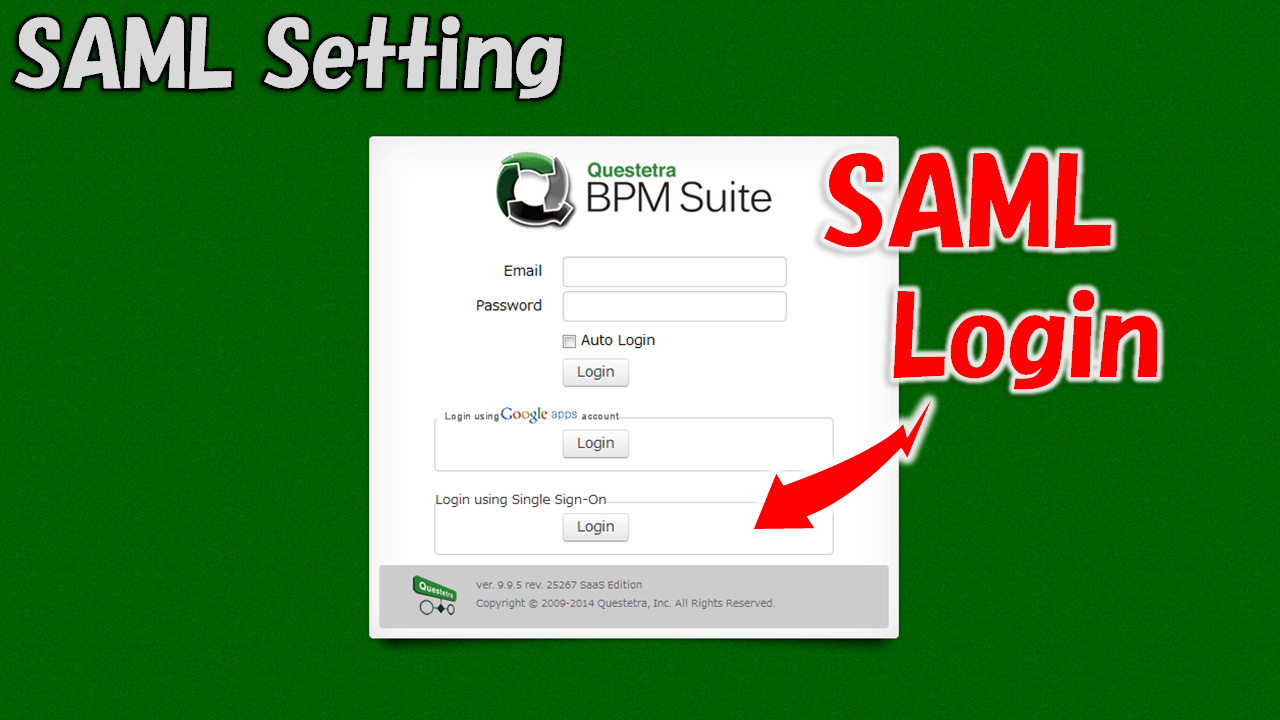
Access Questetra's login page and confirm the SAML login button
- Multiple IdP certificates can be registered
- Enter one by one from BEGIN CERTIFICATE to END CERTIFICATE
5. Disable Questetra's Password Authentication (Optional)
- 1. Disable Login with Password
Check the [Disable Password Authentication] box in the [SSO (SAML)] menu, if necessary
- 2. Confirm the Login Page
Confirm if Password Login is hidden (M101)
- Users will be unable to login with a password and ID which are configured in Questetra
- However, Users with [System Administrator Authorization] can login with their ID and password (e.g. in the event of a fault on IdP side)
X. Blog Articles
- 2018-08-16: Single Sign-on to Office 365 via SAML 2.0 (Setting for cooperation with Azure Active Directory)
Z1. More Info: Settings of Federation with SimpleSAMLphp
Apache, PHP Installation
# yum install httpd php php-xmlSimpleSAMLphp Installation
# wget http://simplesamlphp.googlecode.com/files/simplesamlphp-1.9.0.tar.gz
# tar zxf simplesamlphp-1.9.0.tar.gz
# mv simplesamlphp-1.9.0 /var/simplesamlphp
# echo "Alias /simplesaml /var/simplesamlphp/www" > /etc/httpd/conf.d/saml.conf
Enable Sample Authentication
# cd /var/simplesamlphp
# touch modules/exampleauth/enable
Enable IDP
/var/simplesamlphp/config/config.php
'enable.saml20-idp' => true,Creating Secret key, Certification for IDP
# cd /var/simplesamlphp
# openssl req -new -days 365 -x509 -nodes -keyout idp.key -out idp.crt
Generating a 2048 bit RSA private key
..............+++
.........................................................+++
writing new private key to 'idp.key'
-----
You are about to be asked to enter information that will be incorporated
into your certificate request.
What you are about to enter is what is called a Distinguished Name or a DN.
There are quite a few fields but you can leave some blank
For some fields there will be a default value,
If you enter '.', the field will be left blank.
-----
Country Name (2 letter code) [XX]:JP
State or Province Name (full name) []:Kyoto
Locality Name (eg, city) [Default City]:Kyoto
Organization Name (eg, company) [Default Company Ltd]:Questetra, Inc.
Organizational Unit Name (eg, section) []:
Common Name (eg, your name or your server's hostname) []:Questetra BPM Suite
Email Address []:
To Register User information
$config = array(
….
'example-userpass' => array(
'exampleauth:UserPass',
'user:uuuuuuuu' => array(
'uid' => array('user'),
'email' => array('user@questetra.com'),
),
),

….
IDP Setting
….
'privatekey' => 'idp.key',
'certificate' => 'idp.crt',
'validate.authnrequest' => TRUE,
'validate.logout' => TRUE,
….
Booting Apache
# service https startSAML Setting in Questetra BPM Suite
- Idp Setting
- Entity ID: http://XX.XX.XX.XX/simplesaml/saml2/idp/metadata.php (Copy from Entity ID in SAML 2.0 IdP metadata)
- URL of Login page:: http://XX.XX.XX.XX/simplesaml/saml2/idp/SSOService.php
- URL of Logout page: http://XX.XX.XX.XX/simplesaml/saml2/idp/SingleLogoutService.php (Not indispensable)
- Certification: (Entirely copy idp.crt previously created)
- SP Information
- Set description here into SimpleSAMLphp later
Preparing Verification certificate of Questetra BPM Suite
SP Setting
- In between parentheses in $metadat: SP Information-Entity ID
- AssertionConsumerService: ACS URL
- SingleLogoutService: SP Information-Single logout service URL
- Certificate: The file name of SP Information-Verification certificate which was saved in the previous section.
$metadata['https://fsXX.questetra.net/XXXXXXXX/'] = array(
'AssertionConsumerService' => 'https://fsXX.questetra.net/XXXXXXXX/saml/SSO/alias/bpm',
'NameIDFormat' => 'urn:oasis:names:tc:SAML:2.0:nameid-format:email',
'simplesaml.nameidattribute' => 'email',
'simplesaml.attributes' => FALSE,
'certificate' => 'questetra.crt',
'SingleLogoutService' => 'https://fsXX.questetra.net/XXXXXXXX/saml/SingleLogout/alias/bpm',
);
Rebooting Apache
# service https restart
Z2. More Info: Setting of Federation with Salesforce
- Single Sign-on with Salesforce via SAML 2.0 (July, 2018)